Flowfield Studio Games & learning
A little room to play with motion.
An interactive particle playground that connects a simple mathematical system with immediate visual feedback.
Project statusPublic browser experiment with an iOS wrapper
How it came about
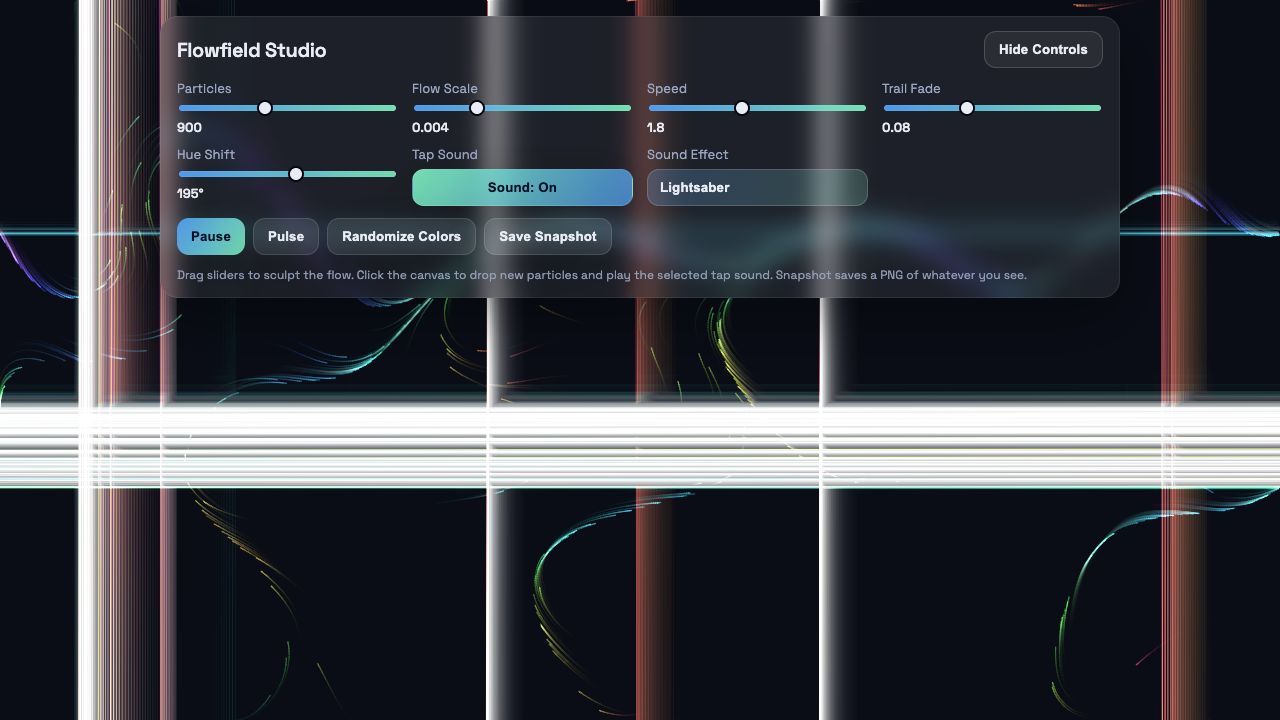
Flowfield Studio is a smaller experiment: particles move through a changing vector field and leave trails. The idea is to make that motion something I can play with directly, rather than just watch as a fixed animation.
The browser interface exposes particle count, scale, speed, fade and colour. A pulse adds another burst, and a snapshot captures the current pattern. The project also includes an iOS wrapper around the same web experience.
The difficult part
The design challenge is the relationship between a control and its visible result. A slider needs to change something a person can notice and understand. Too many technical settings can make a playful tool feel like a configuration screen.
Motion also has a practical cost. Particle count and rendering work need to stay in proportion to the device. Taking the same experience into a touch interface means checking that the interaction still makes sense without a mouse.
What I learnt
I have learnt that an experiment does not need a complicated purpose to be worthwhile. It can be a useful way to explore interaction, visual feedback and the relationship between a simple rule and an unexpectedly rich result.
I like the directness of it: move a control and see the pattern change. It leaves room to explore without needing instructions for every possible result. Working on a small experiment like this gives me a useful way to test how much an interface can explain through the response on the screen.